‣
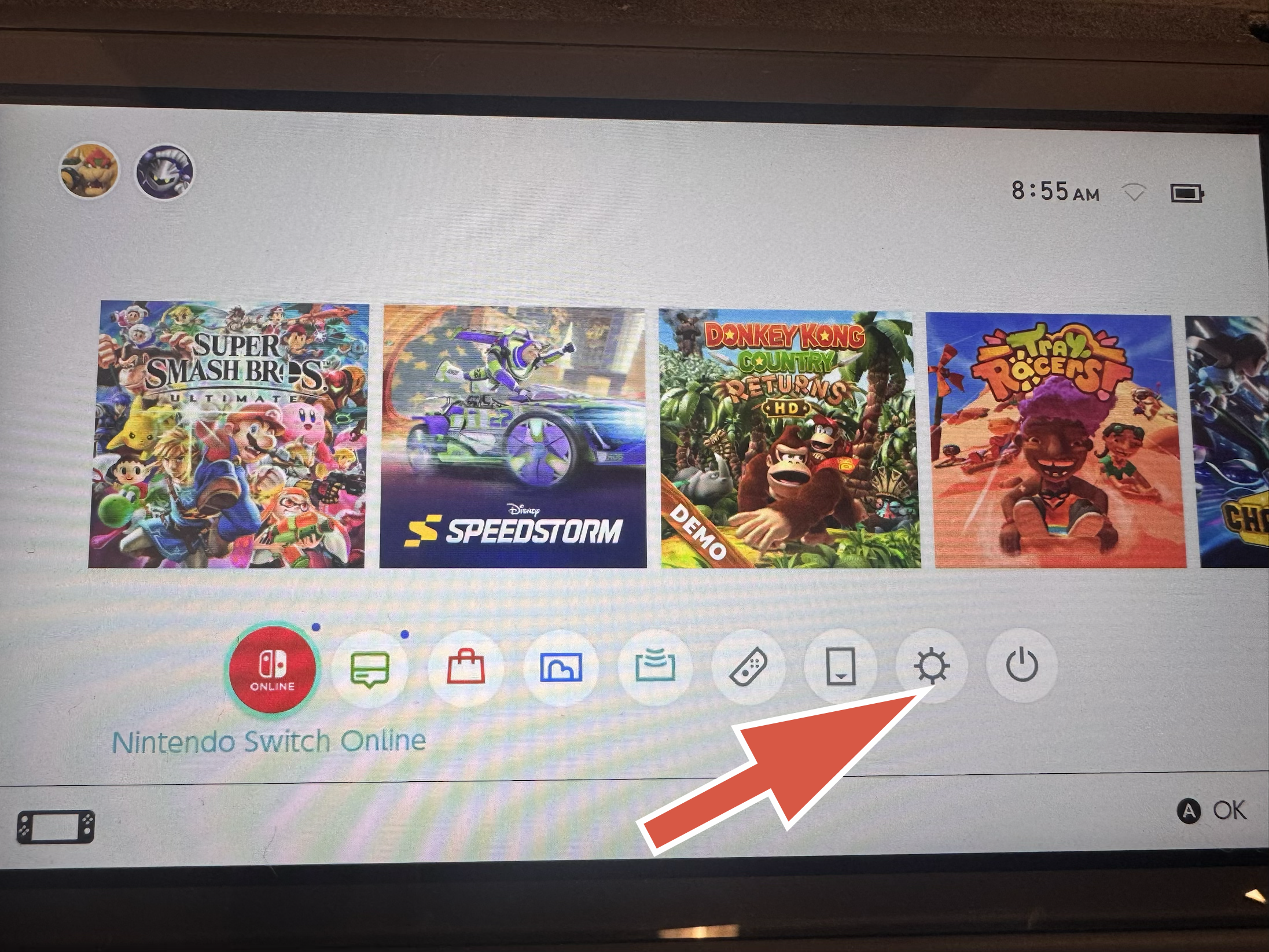
From the home screen, click on System Settings
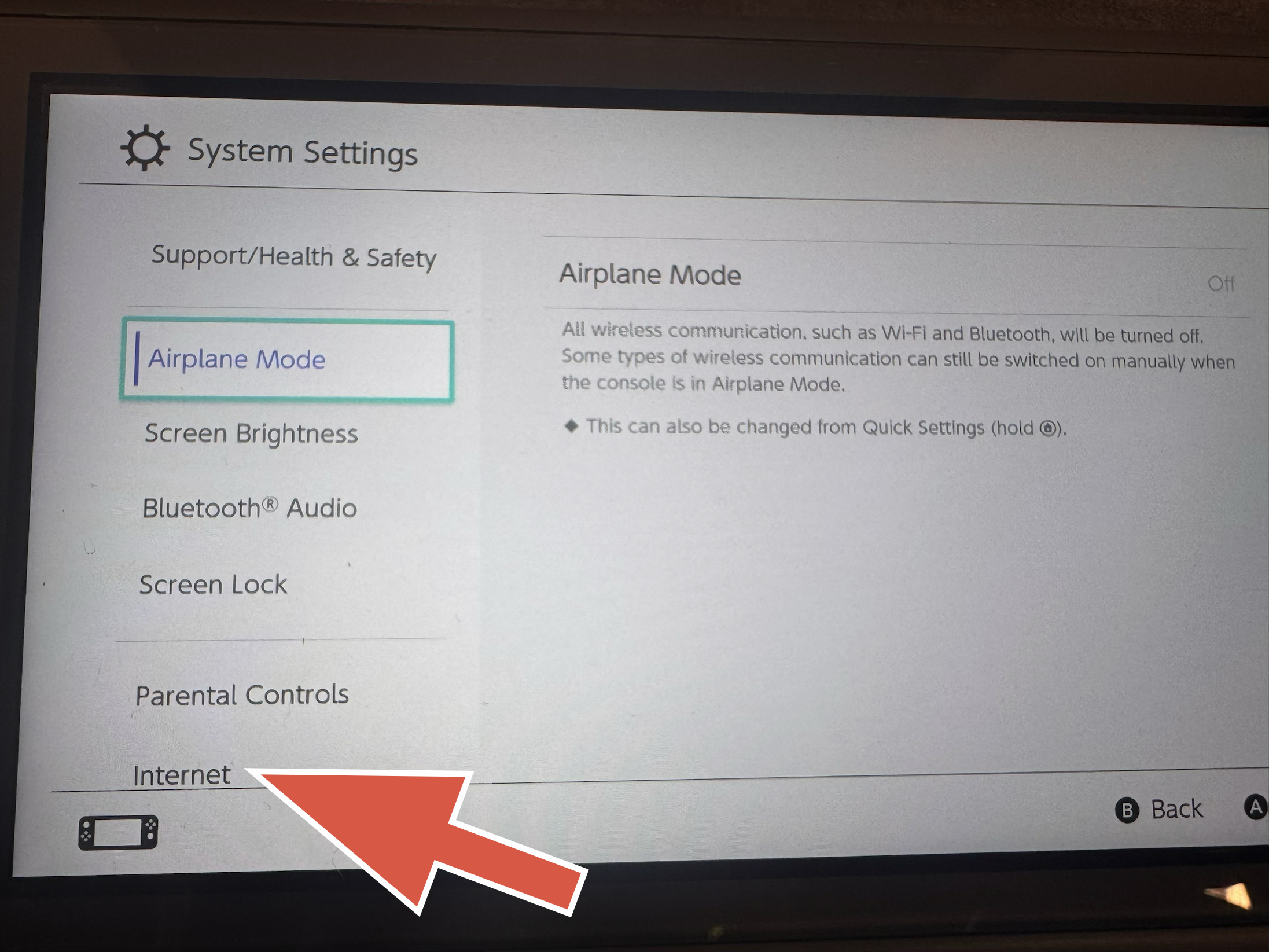
From the System Settings page, select Internet
The MAC Address will show under Connection Status

‣
From the home screen, click on Settings

From the Settings screen, click on System

Select Console Information; the MAC address will be listed

‣
From the Xbox home screen, select Settings

Select General, then Network settings

Select Advanced settings, then IP Settings. The MAC Address will be shown.
